Customer Portal Access
Last updated: September 16, 2025
If the customer has been associated with the appointment through one of the following methods: via the scheduling portal using the customer link or customer dropdown list, or through the customer dropdown on the facility side.
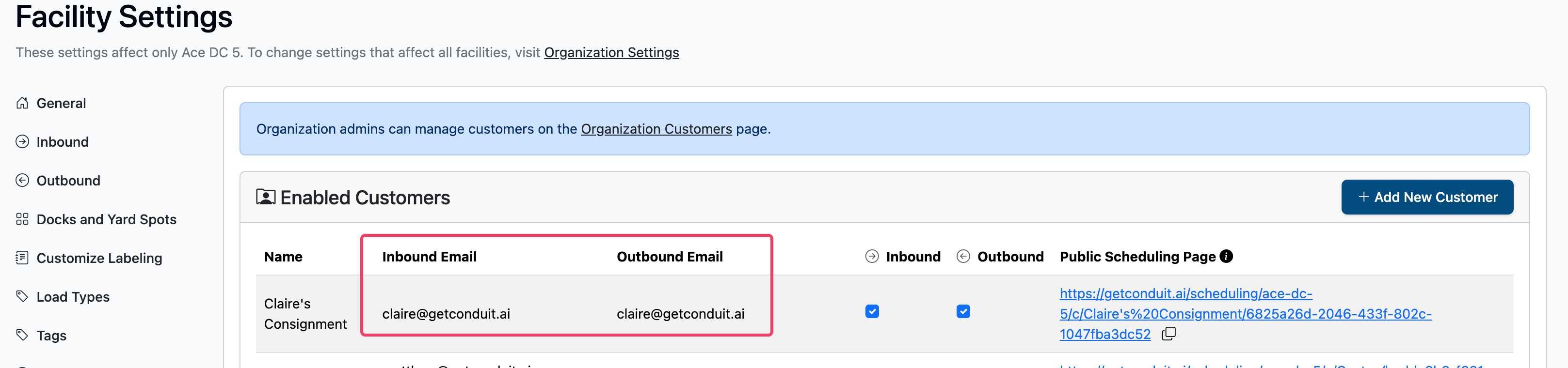
You can give them access to all their appointments through the scheduling portal at https://getconduit.ai/scheduling. Once customers visit the portal link, they will be prompted to sign in using their email address. After signing in, they will be directed to a list of their appointments at your facilities. A customer can be associated with an appointment in two ways:
If their email is associated with the appointment:
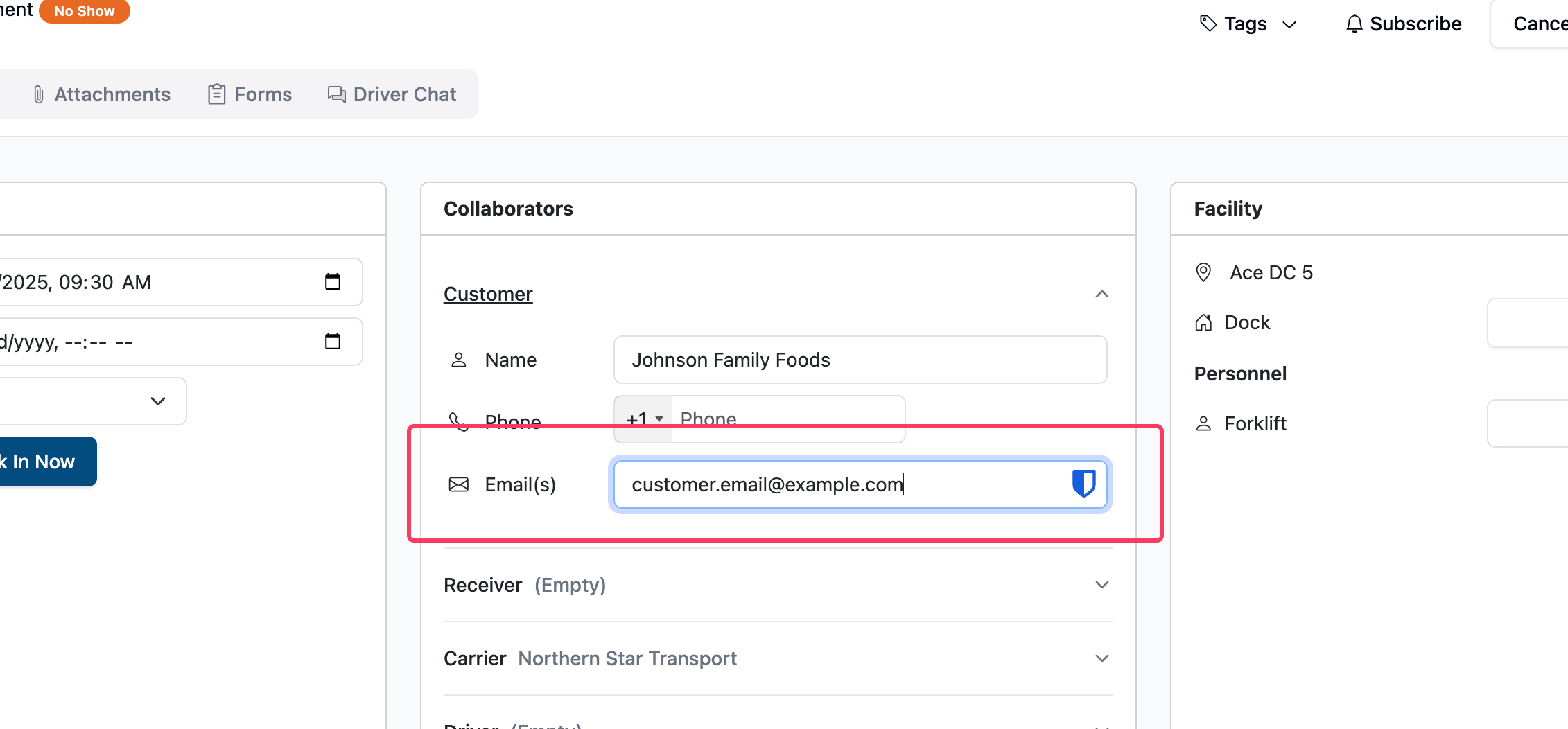
The email is configured as part of the customer contact information:
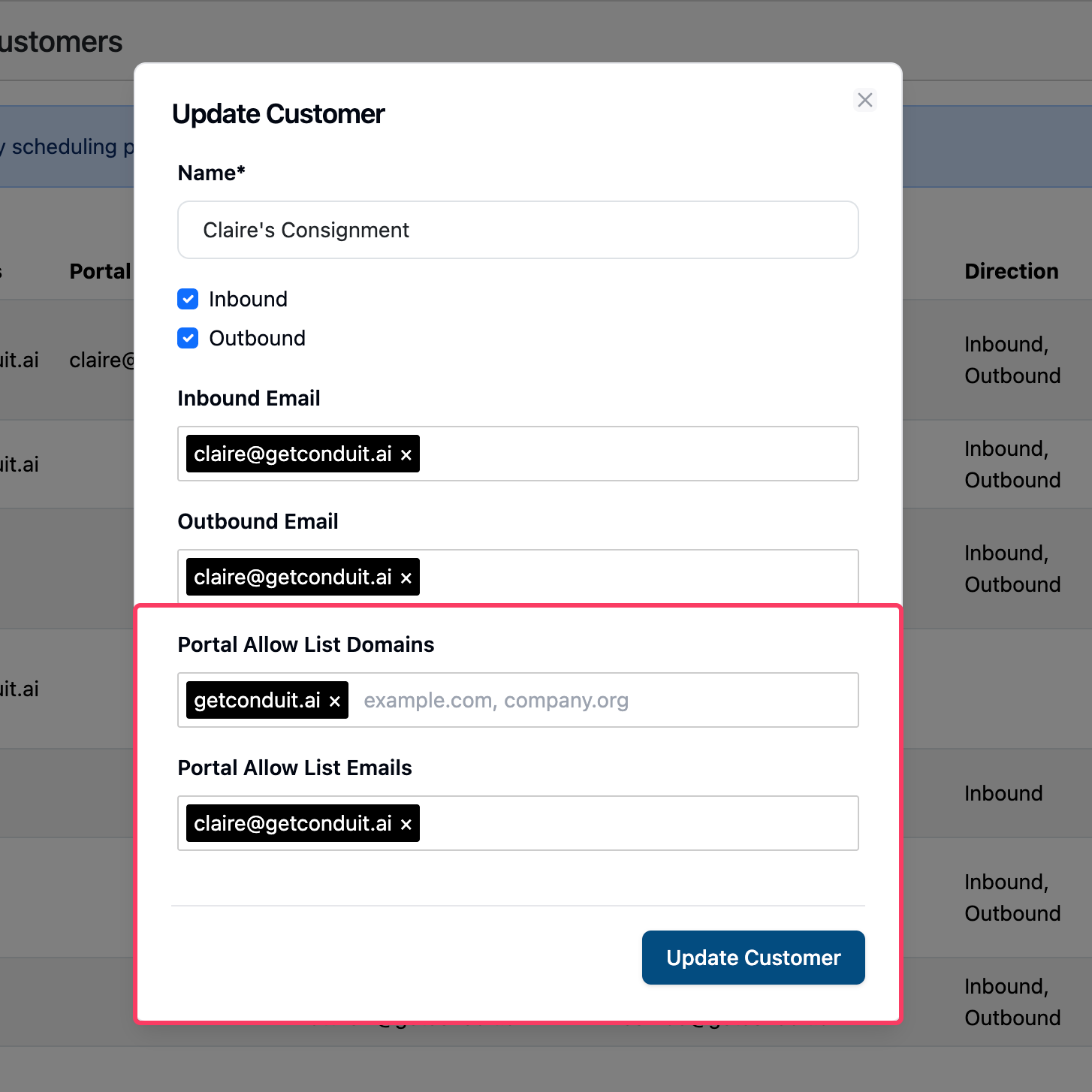
You can also give your customers access to specific emails or groups of emails under a domain at the organization level (Organization Settings > Customers) by adding the domains or emails to the Portal Allow Lists when creating or editing a customer: