Deleting and editing users at your facility
Last updated: July 1, 2026
Instructions
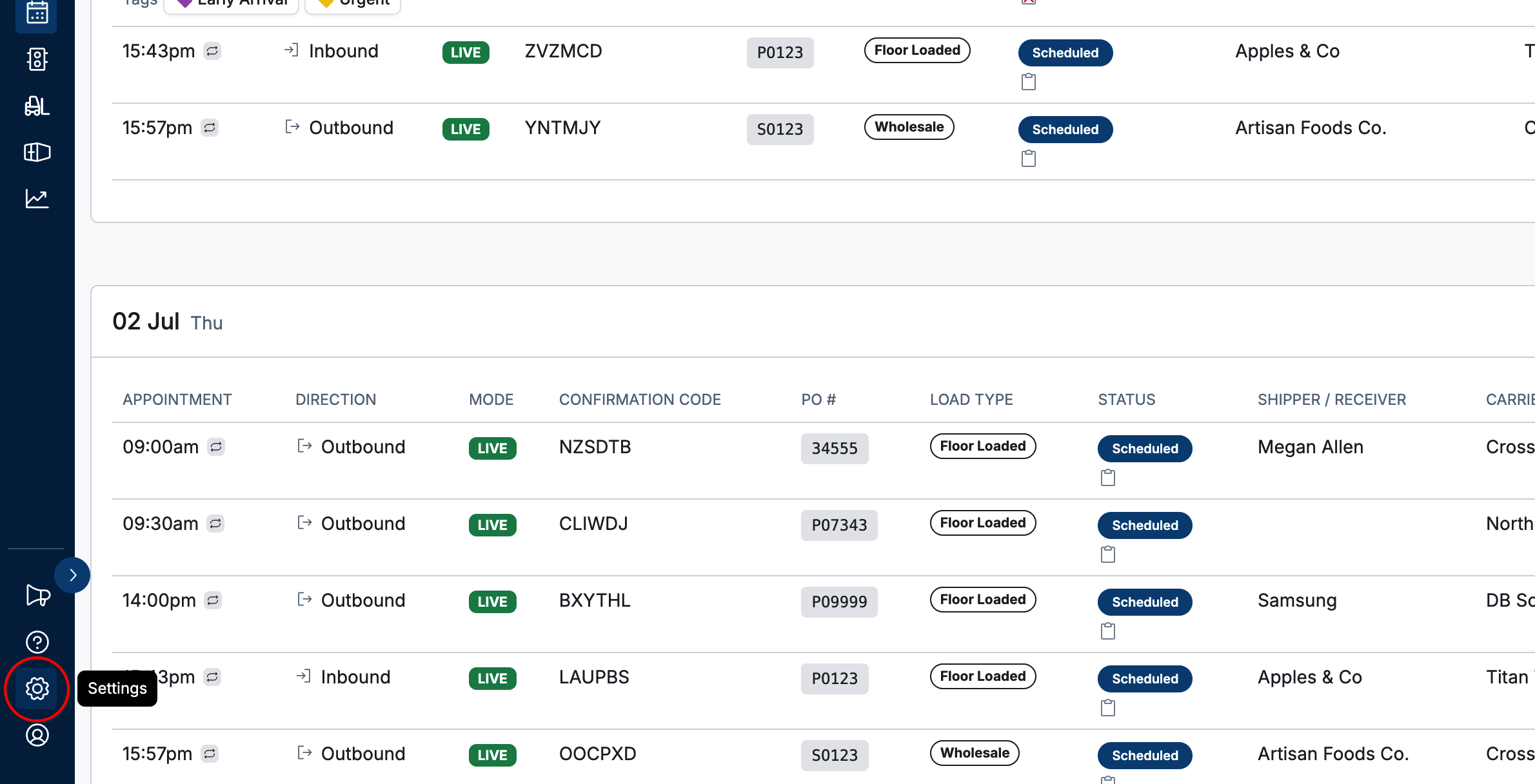
Click the
gearicon in the bottom left.
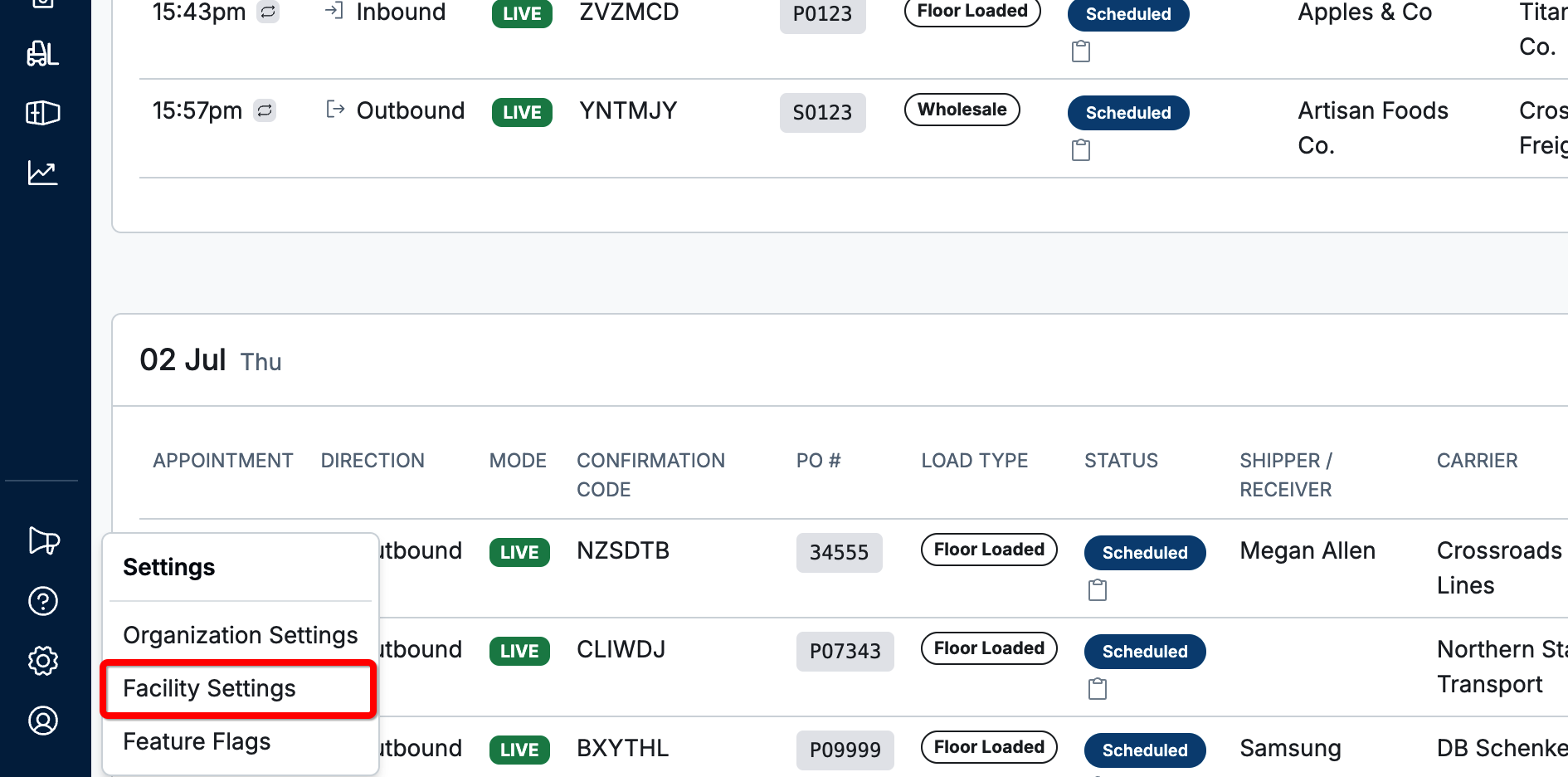
Click
Facility Settings.
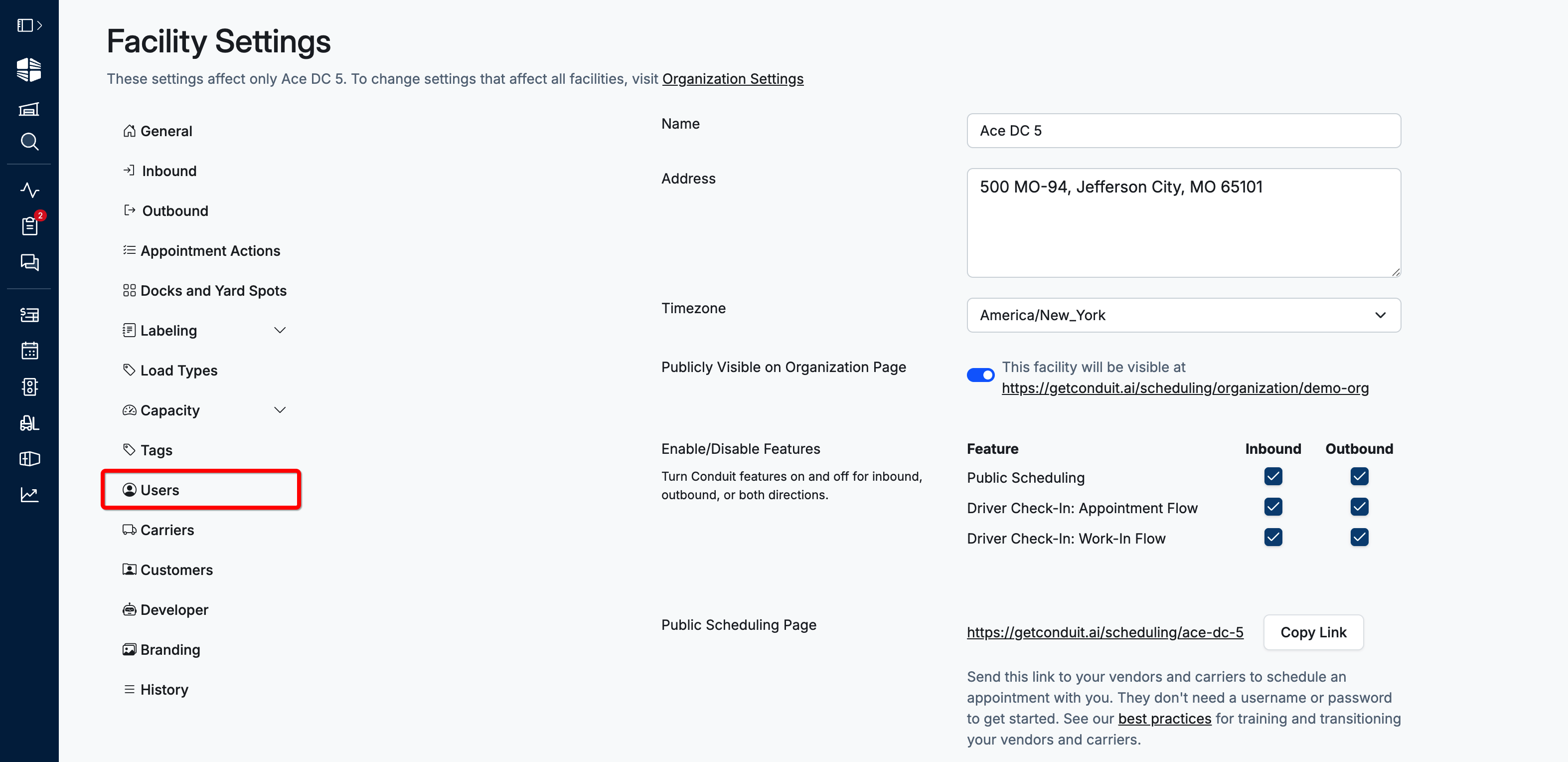
On the settings page, click
Users.
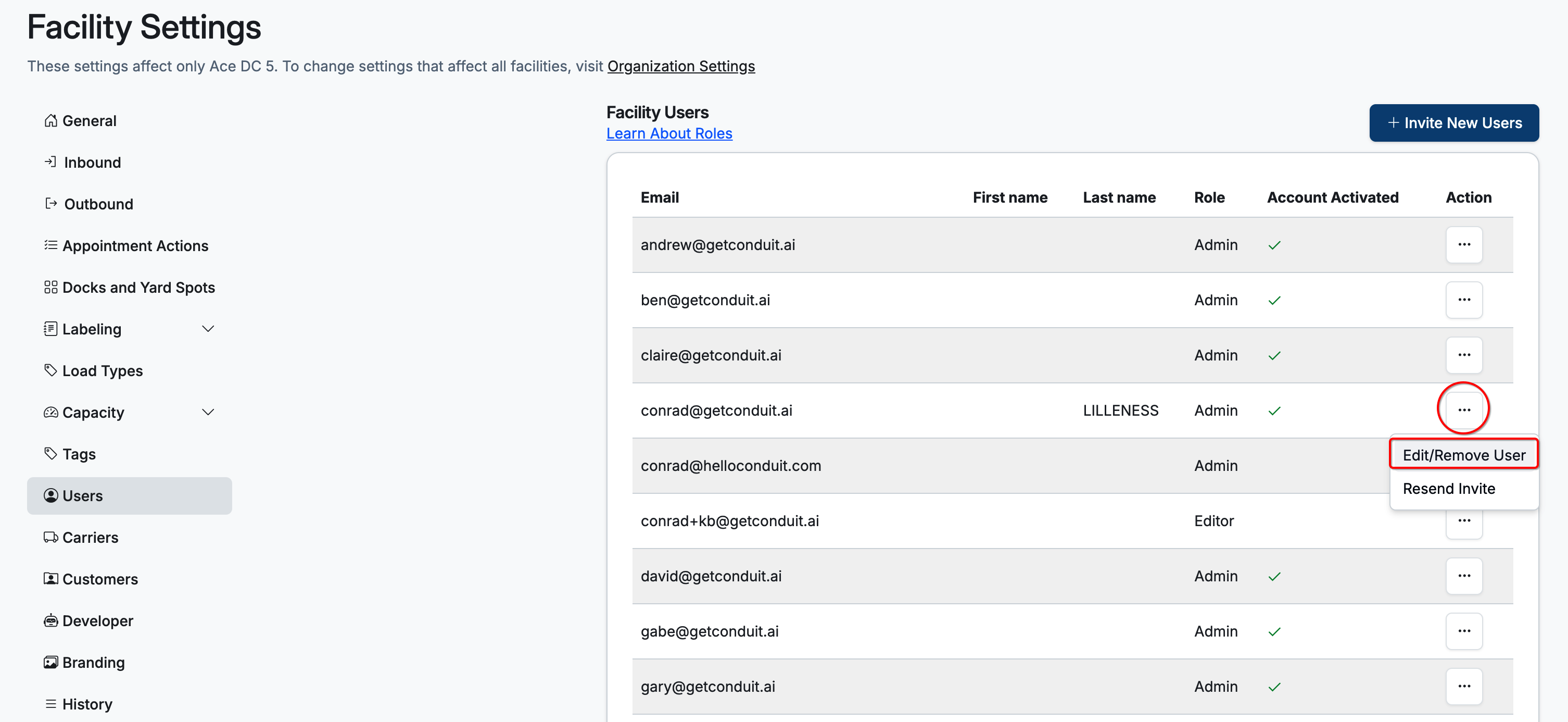
Click the
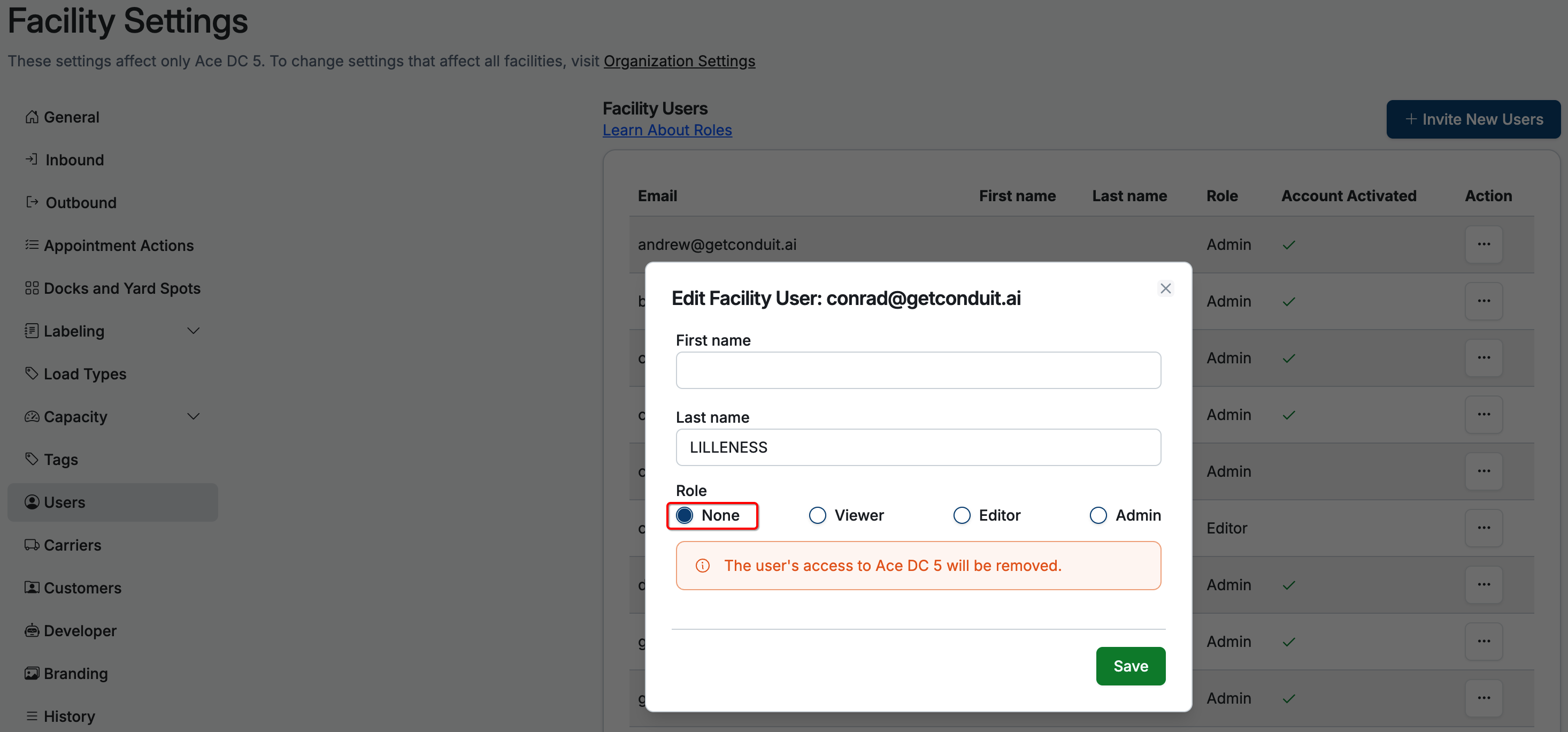
...button and selectEdit/Remove User.
Update the user's Role (
Viewer,Editor,Admin, orNone) then clickSave.Selecting
Nonedeletes the user from your facility.
Frequently Asked Questions
What if I want to add the user back to my facility?
To re-add a user to your facility after deletion, send a new user invite.
To learn more read Adding Users to your facility.
Who can edit or delete users?
Only Organization Admins or Facility Admins can edit or delete users.