Appointment Scheduling: Verifying Reference IDs
Last updated: July 22, 2026
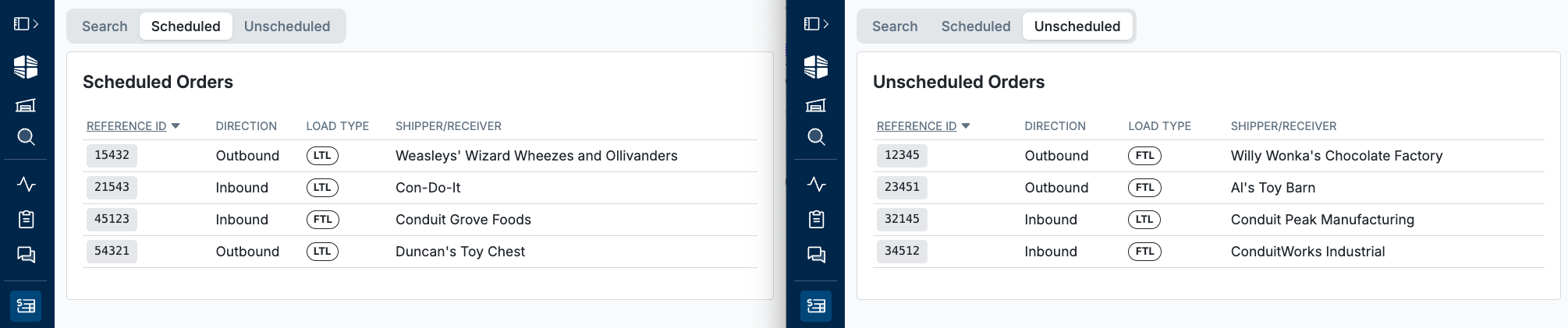
The Orders module in Conduit validates your Reference IDs against those provided by a third party when the attempt to schedule an appointment.
When enabled, Conduit checks any Reference ID entered on your Public Scheduling Link against the list you've uploaded. If it doesn't match, the appointment can't be booked — this stops unauthorized or mistyped bookings from third parties.
To Enable Reference ID Verification:
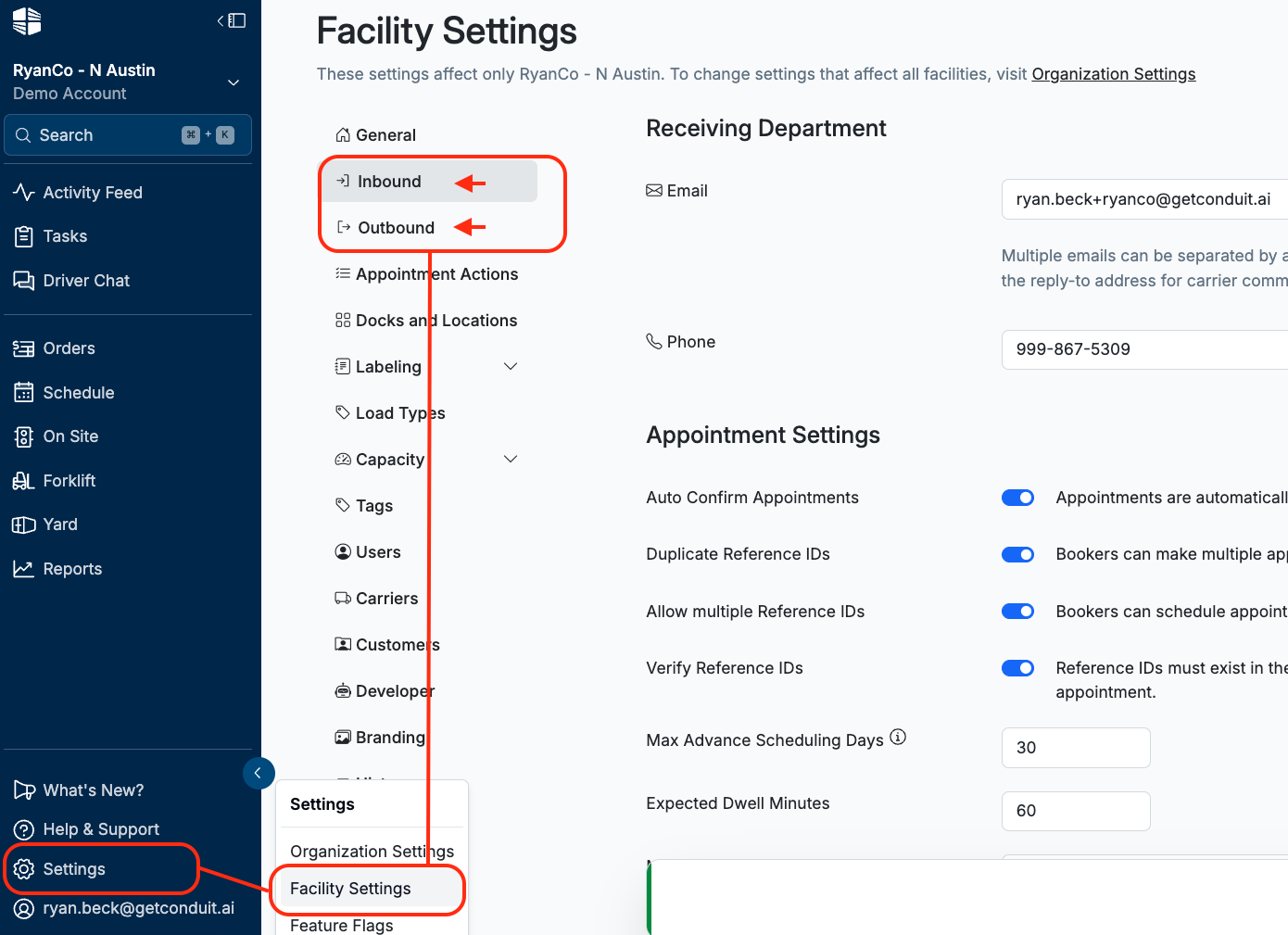
Go to
Settings→Facility Settings→InboundorOutbound(whichever direction you're verifying)
Toggle on
Verify Reference IDsClick
Save
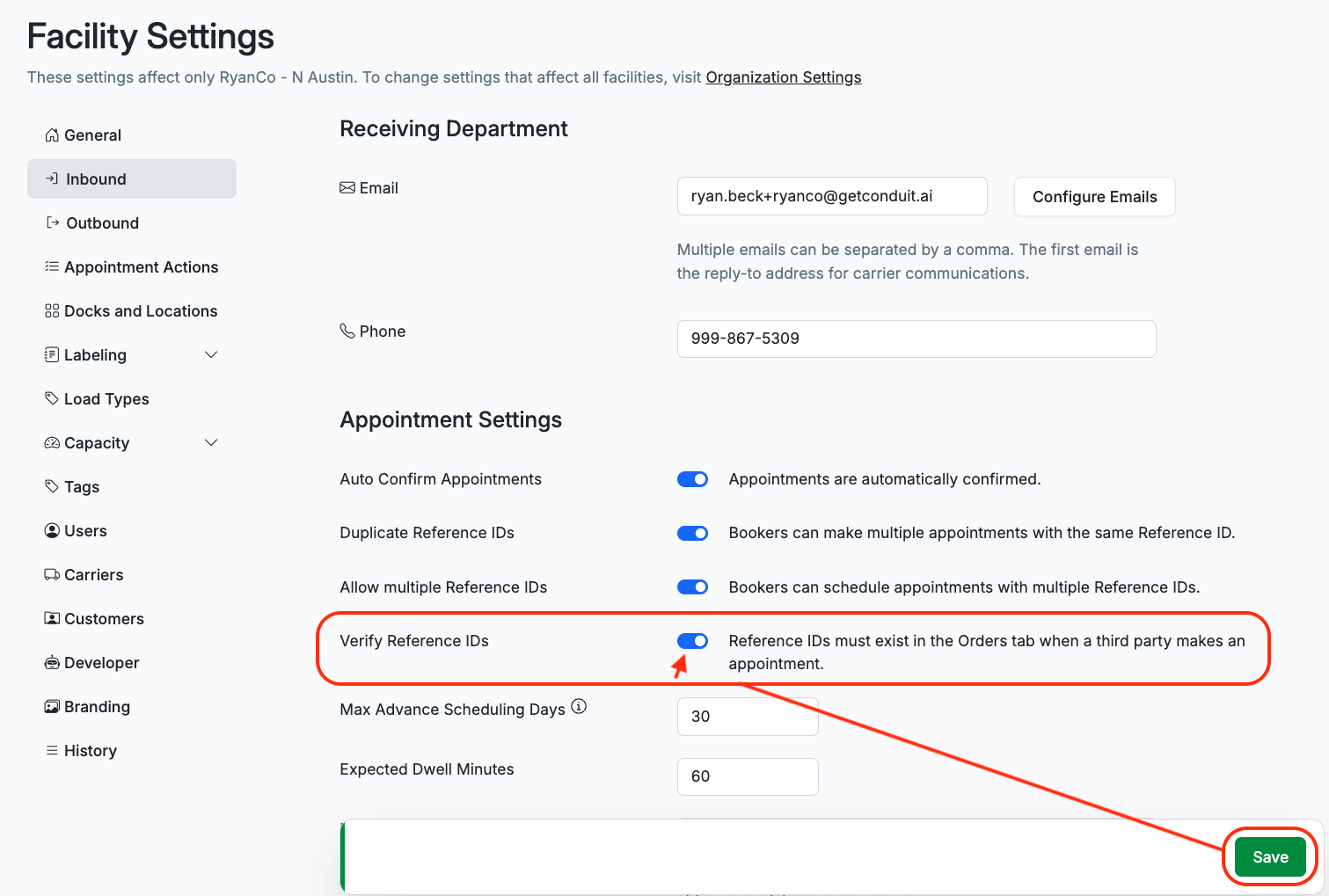
⚠ This applies per direction. Turning it on for Inbound does not enable it for Outbound — repeat for both if you verification on each.
Uploading Reference IDs to Verify Against
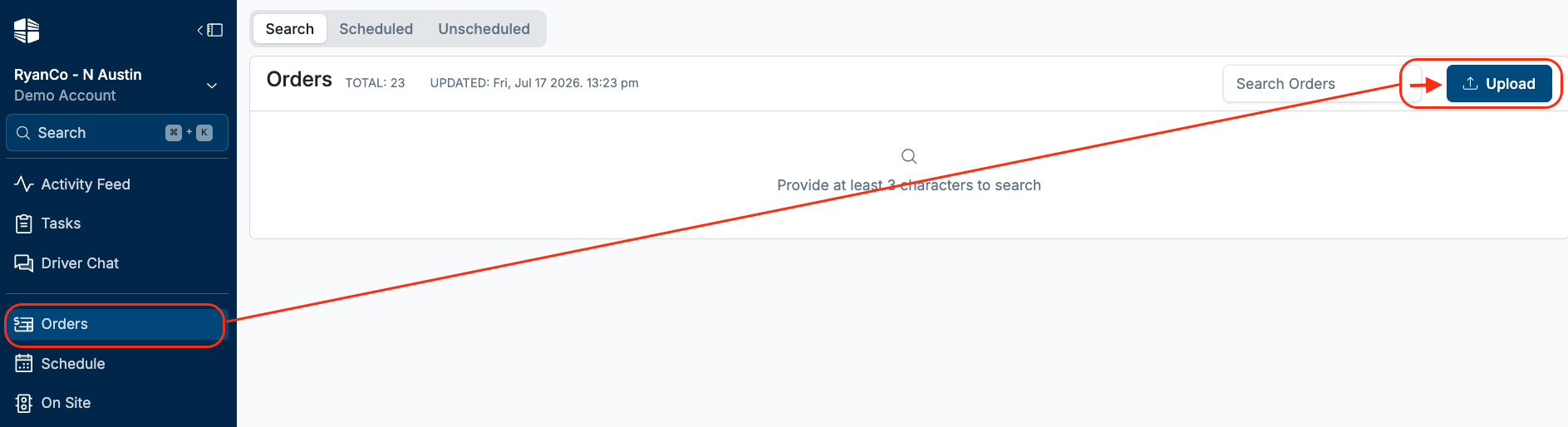
Go to the
Ordersmodule in your navigation menu and clickUpload(top left)
Download the provided CSV template and Fill in your Order Info
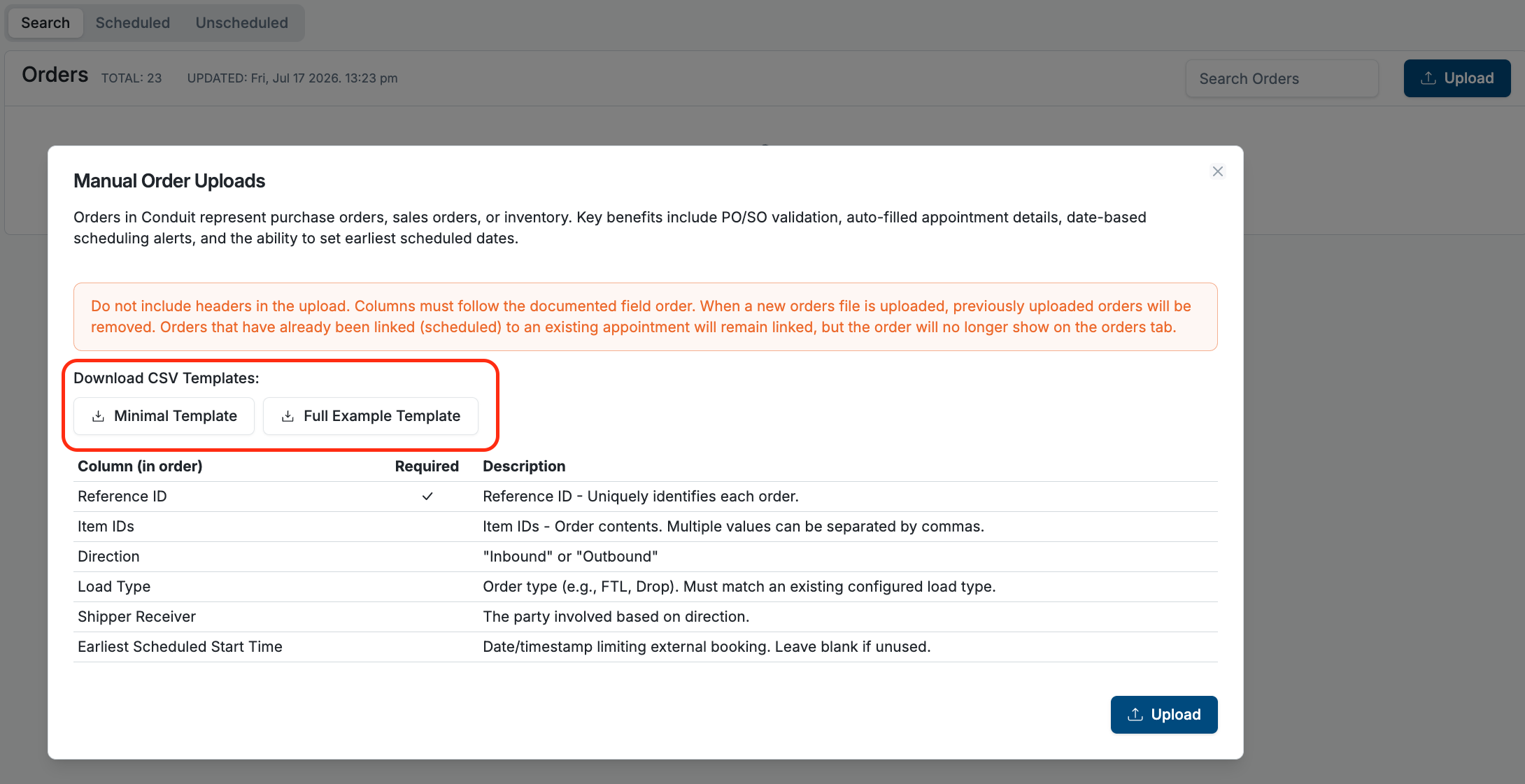
Column (in order) | Required | Description |
Reference ID | ✓ | Reference ID - Uniquely identifies each order. |
Item IDs | Item IDs - Order contents. Multiple values can be separated by commas. | |
Direction | "Inbound" or "Outbound" | |
Load Type | Order type (e.g., FTL, Drop). Must match an existing configured load type. | |
Shipper Receiver | The party involved based on direction. | |
Earliest Scheduled Start Time | Date/timestamp limiting external booking. Leave blank if unused. |
Upload & Verify your completed CSV
⚠ Do not include a header row. The upload treats row 1 as data — a header row will either fail or get read as an order.
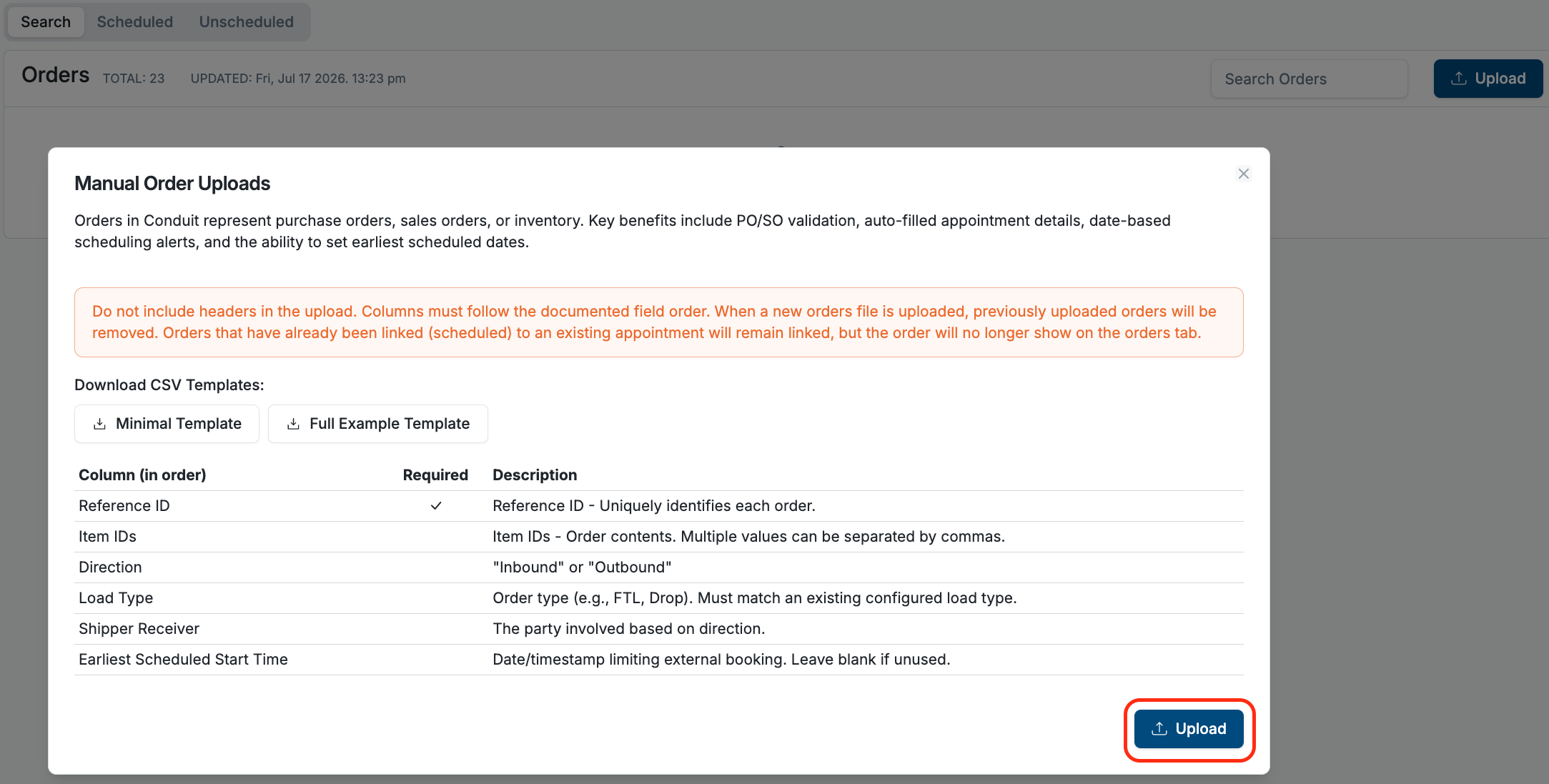
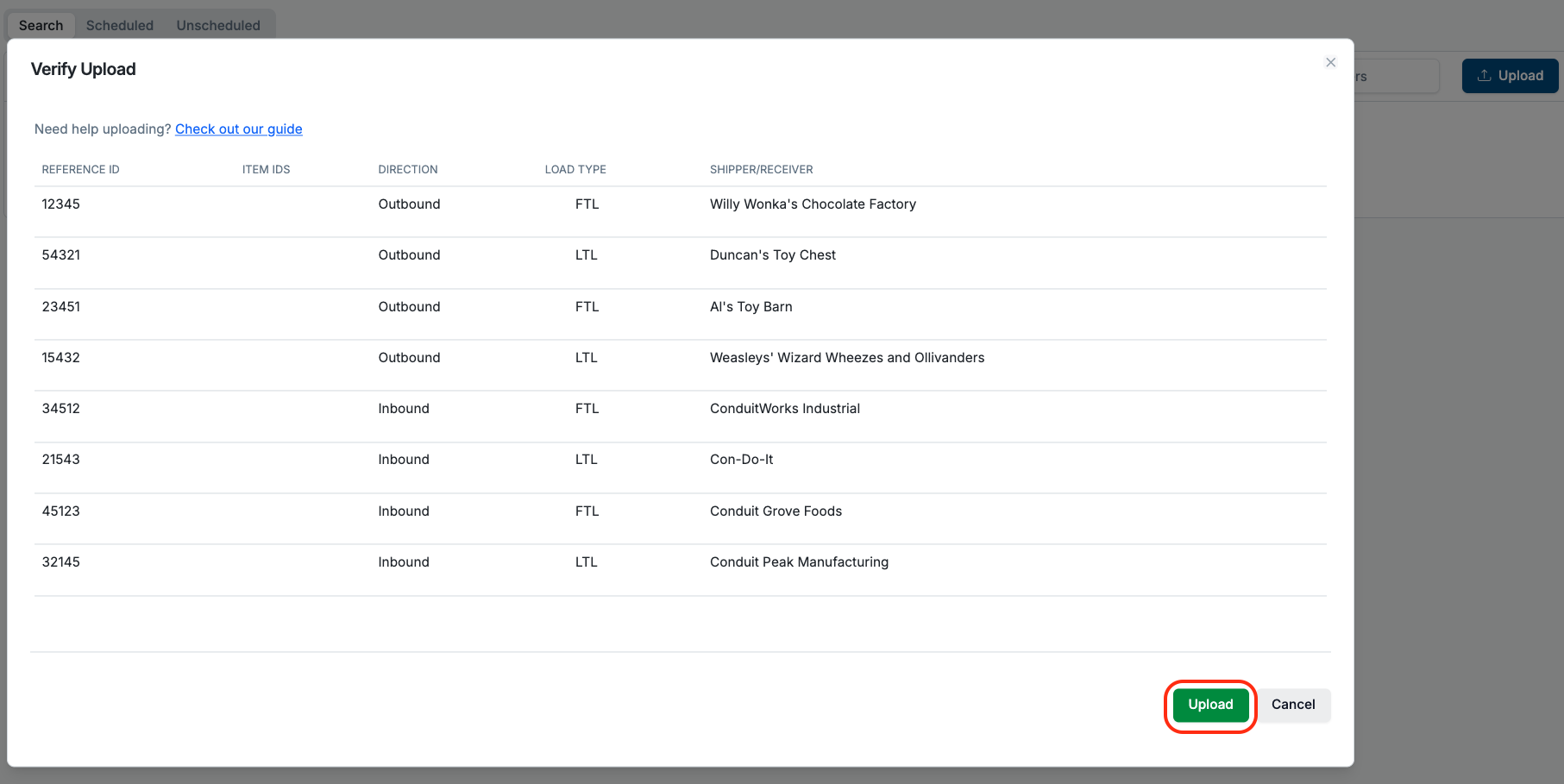
Confirm the upload:
New Orders in
UnscheduledtabOnce a matching appointment is booked, the order moves to the
Scheduledtab