Forms
Last updated: July 20, 2026
Forms is a module in Conduit that involves digitizing inspection forms that are able to be completed for each individual appointment, removing the need for pen and paper. Our digitized form will match your paper forms and be added to the individual appointment for (7) years. To enable forms, please reach out to the support team.
Type of Forms (Examples)
Trailer Inspection Forms
CTPAT Forms
Arrival Checklists
Quality Control Checklists
Customer or Load Type Specific Forms
Forms can also be tailored to apply only to specific customers or specific load types. To set this up, reach out to the support team.
Once set up, these forms behave exactly like standard forms — appearing on qualifying appointments to be completed the same way described below.
Using Forms
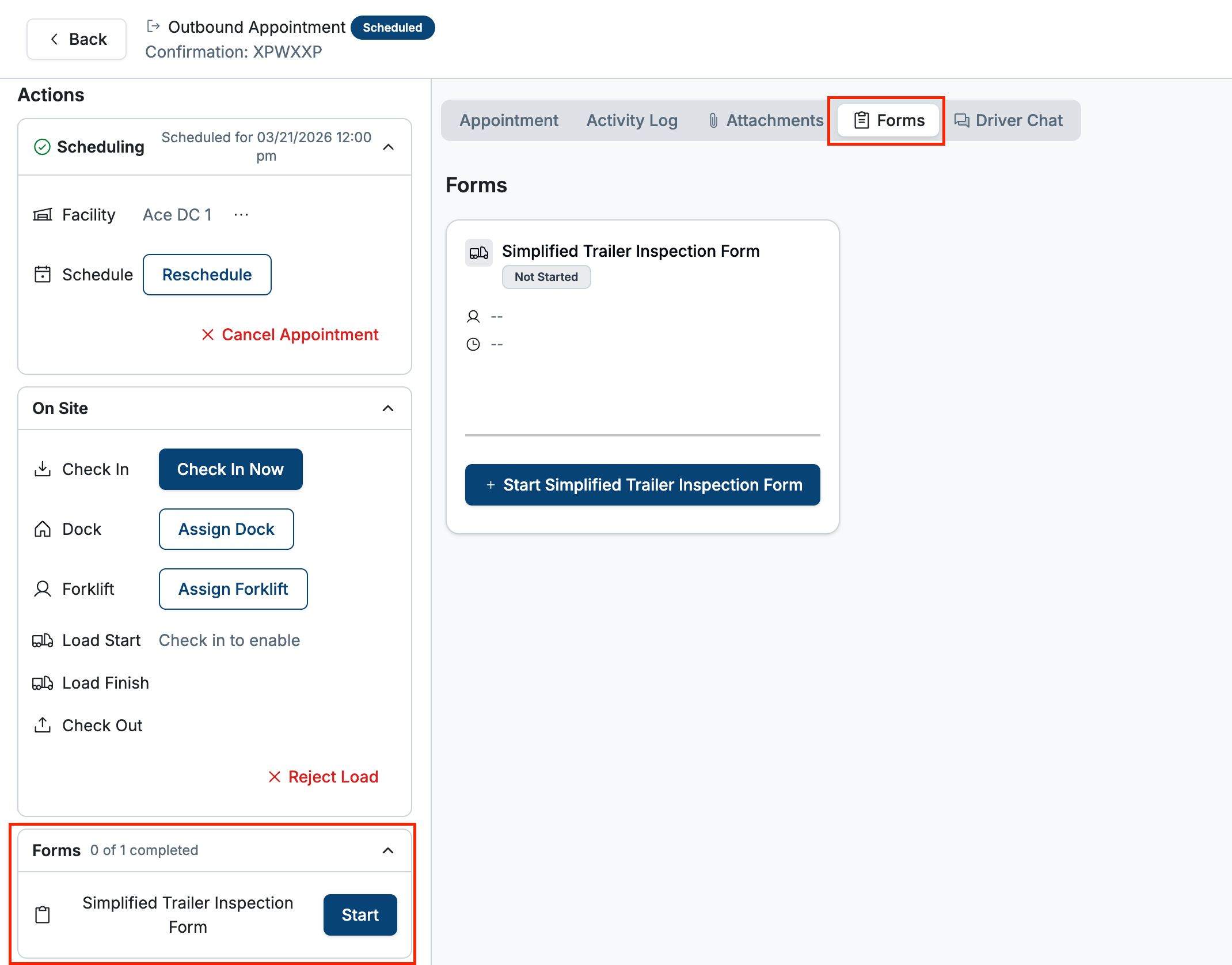
In the appointment details page, navigate to the Forms section either at the bottom left of the page, or on the Forms tab at the top of the page. Start the forms process by clicking Start on either page.
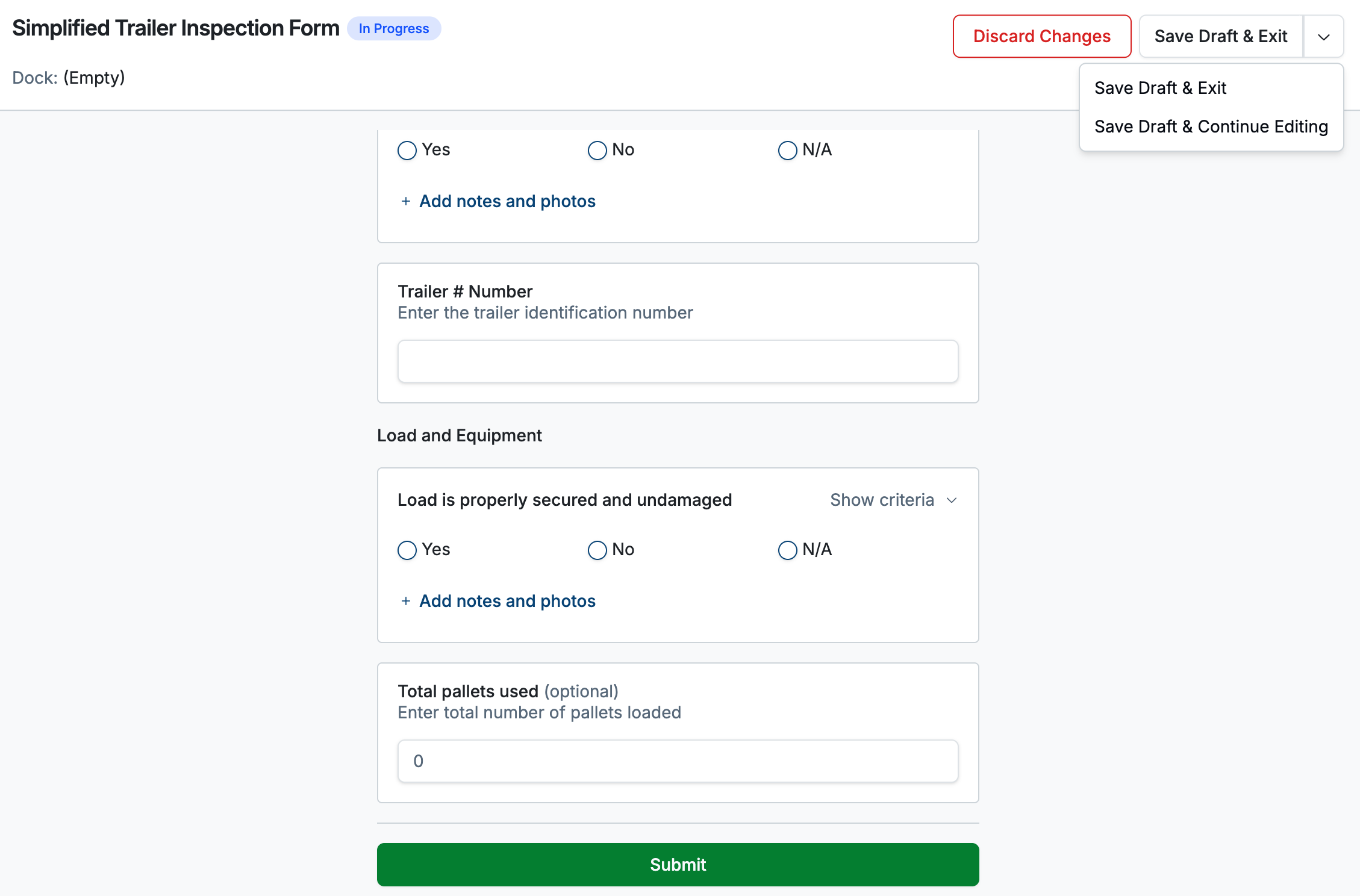
Once started, you will be asked to fill out and complete the inspection sheet, which will mimic the paper sheet that your team currently uses. You will also be able to save as a draft, discard changes, or when ready, submit the form.
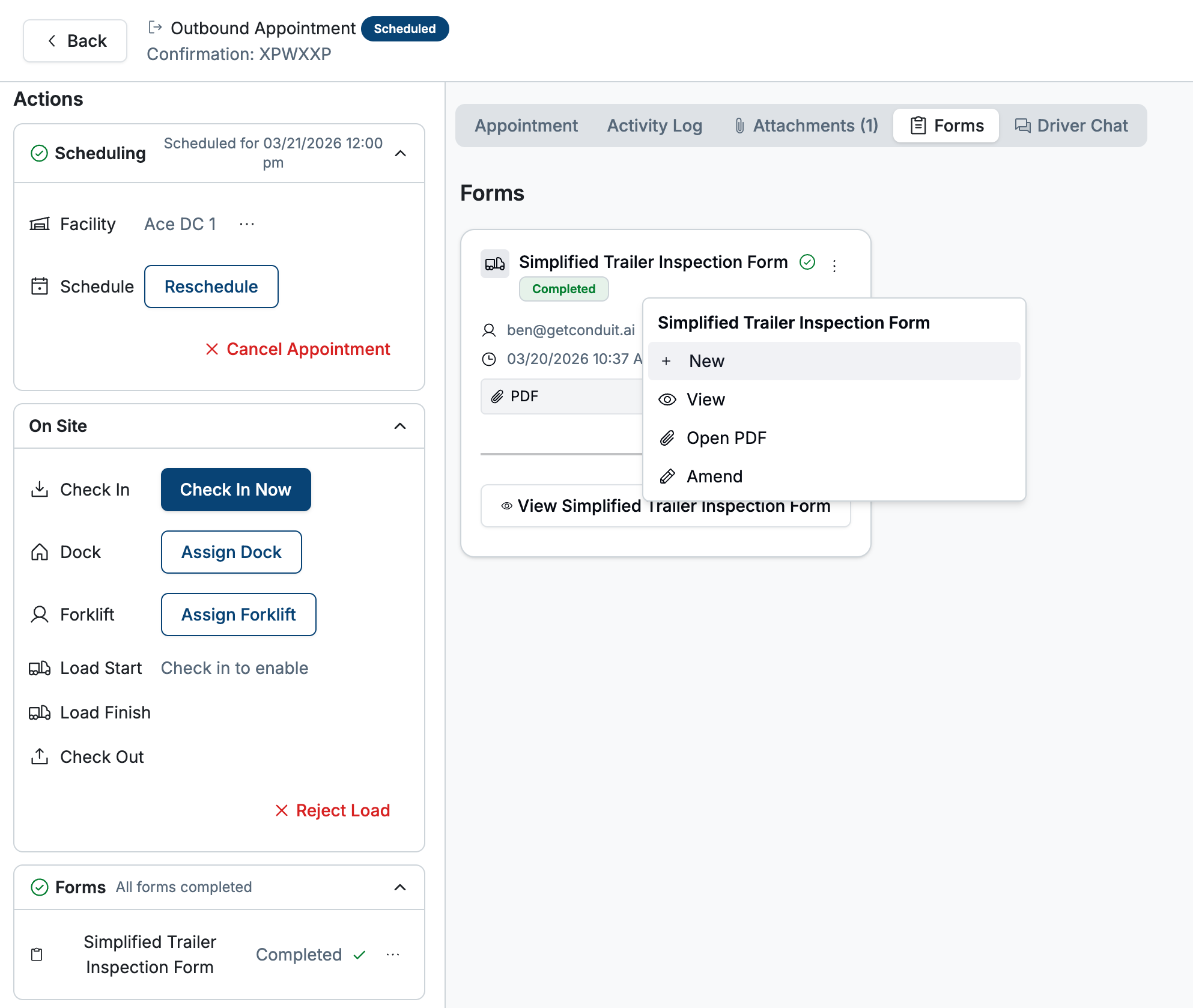
Once complete, this form will be marked as Completed. You will also have options to start a new form, view this form, open as a pdf to be downloaded, or make edits.
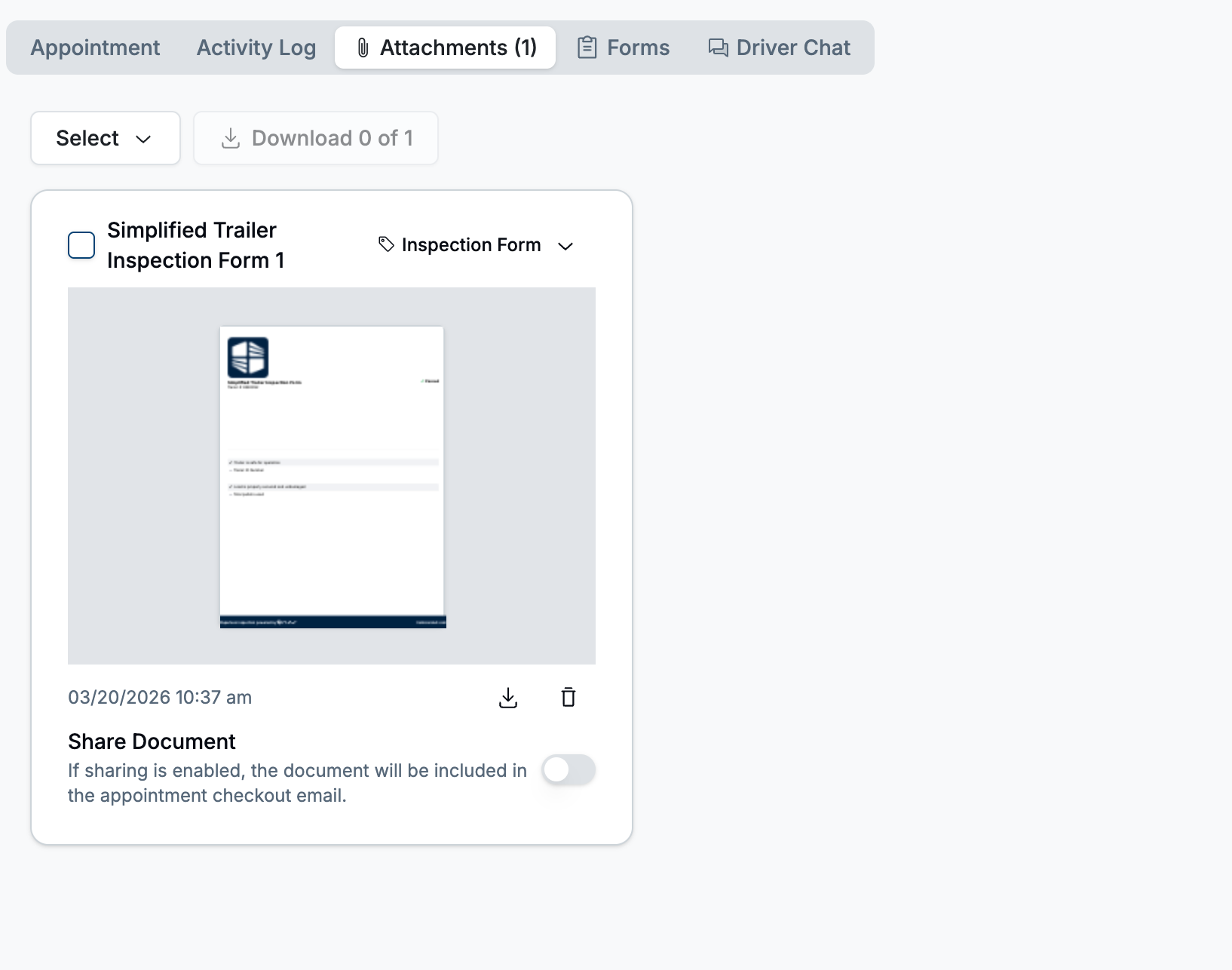
Once completed, the form will also show up in the Attachments area, which can also be shared with the carrier by toggling the Share Document button.
Frequently Asked Questions
Can I have more than one Form enabled?
Yes. You are able to add as many inspection forms as you would like to the Conduit system.
Can I make it required to fill out a form?
No. If an appointment is completed without a form, it will show as not filled out on the scheduling page, but it is not required to complete an appointment.
Can I delete forms once they've been started or completed?
No. Forms can only be amended/edited once started or completed.
Can forms be marked as Pass/Fail?
Yes. When digitized, our team can make pass/fail conditions. Passing or failing inspection sheets will be marked as such once completed.
Can Forms be limited to specific customers or load types?
Yes. Reach out to your Conduit contact to get started.